Standard search tools are temporary. Keyword Marker is permanent. Whether you're looking for specific action cues across 50 takes or mapping out topic clusters in a feature-length documentary, this plugin creates a visual map of your story that stays with you until the final export. Stop wasting time searching your own footage.
dla Adobe Premiere Pro CC 2022+
Dla systemów Windows i MacOS.
As an editor, you know how frustrating it is to find the perfect sound bite in a two-hour interview only to lose that location the moment you clear your search bar. Keyword Marker transforms your transcript searches into permanent visual markers on your Adobe Premiere Pro timeline.
How it works in 3-steps:
We offer three types of licenses. The single-user license is ideal for freelancers who want to use the software on one or two computers. This license is tied to a single account. For companies, we offer a team license, which is bound to the company. The number of licenses can be chosen upon purchase, with a minimum of three licenses. We also offer an enterprise option. Please contact our sales team for more information. All licenses are perpetual.
Uwaga: wtyczka jest obecnie dostępna tylko w języku angielskim.
You will be redirected to the secure "Paddle" checkout. Paddle.com is the Merchant of Record.
Odwrotne ładowanie: If you are buying for a company and have a VAT ID, you may be able to use the reverse charge procedure in some countries. On the checkout page, click "Add VAT ID" on the left after selecting your country and postcode.
Licencji dla zespołów biznesowych nie można kupić za pośrednictwem sklepu Adobe Exchange Store.
Jeśli masz jakieś pytania lub prośby o funkcje, skontaktuj się z naszym zespołem wsparcia. Chętnie Ci pomożemy!
To install the plugin, use the ZXP Installer from AE Scripts or Anastasiy Extension Manager. These installers are free.
If you already have the plugin installed and want to install a new version of the plugin, you can simply run the new installer. It is not necessary to uninstall the old version, the new one will overwrite everything.
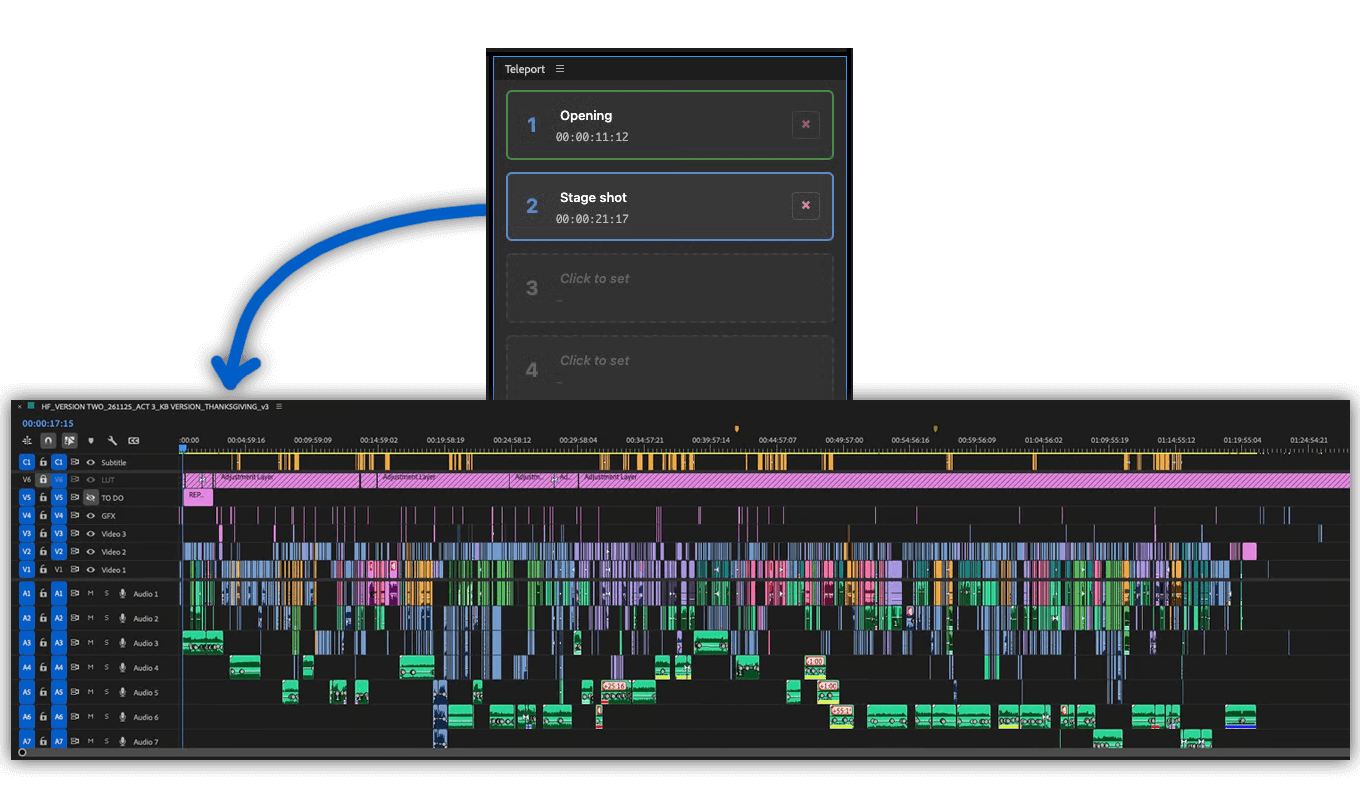
You can activate the plugin panel in Premiere Pro menu under "Window > Extensions > Teleport".
Yes. It also works on air-gapped systems.
Nie, Twoje dane pozostaną na Twoim komputerze.
Tak. Wtyczka została zaprojektowana z myślą o obsłudze wszystkich typów projektów, w tym produkcji objętych ścisłymi ograniczeniami i podpisanymi umowami o zachowaniu poufności (NDA). Nie będzie udostępniać żadnych danych urządzeniom innym niż Twoje.
Zamknij i ponownie otwórz panel. Powinno to spowodować ponowne załadowanie wtyczki i rozwiązanie problemu. Jeśli to nie zadziała, spróbuj ponownie uruchomić program Premiere Pro lub ponownie zainstalować najnowszą aktualizację wtyczki.
Zawsze dbamy o to, aby wtyczka działała w najnowszej wersji programu Adobe Premiere Pro. Dotyczy to wersji Premiere Pro 2022, 2023, 2024, 2025 i nowszych.
Jeśli masz problemy z wtyczką, upewnij się, że masz zainstalowaną jej najnowszą wersję. Możesz również skontaktować się z naszym działem wsparcia w dowolnym momencie, jeśli wystąpią jakiekolwiek problemy.
Plugin został napisany dla systemów Windows 10 i MacOS 12 (Montery). Nie wyklucza to na razie innych wersji, ale nie możemy wykluczyć problemów z testami podczas używania starszych wersji. Jeśli używasz starszego systemu operacyjnego, daj nam znać, jakie są twoje doświadczenia.
If you purchased the plugin without creating an account, there are two ways to download an update or redownload the plugin. The fastest option is to create a free account using the email address associated with your purchase. This will automatically link the purchased license to your account. Once you are logged in, you can find the plugin under Purchases and download it again. If you do not see your plugin, click on "Relink purchases." Note that a plugin can only be relinked automatically if the same email address is used. Another option is to contact our support team and request a new download link. However, this process may take some time.
Jeśli potrzebujesz nowej funkcji, opcji lub niestandardowej wersji wtyczki, wyślij nam wiadomość. Oferujemy niestandardowe rozwiązania dla firm.
On Windows the extension can be easily uninstalled under "Add/Remove Programs".
On MacOS the extension can be easily uninstalled by deleting the folder "/Library/Application Support/Adobe/CEP/extensions/Teleport".