Requires macOS 14.6 or later
iPhone & iPad iOS 17.6 or later
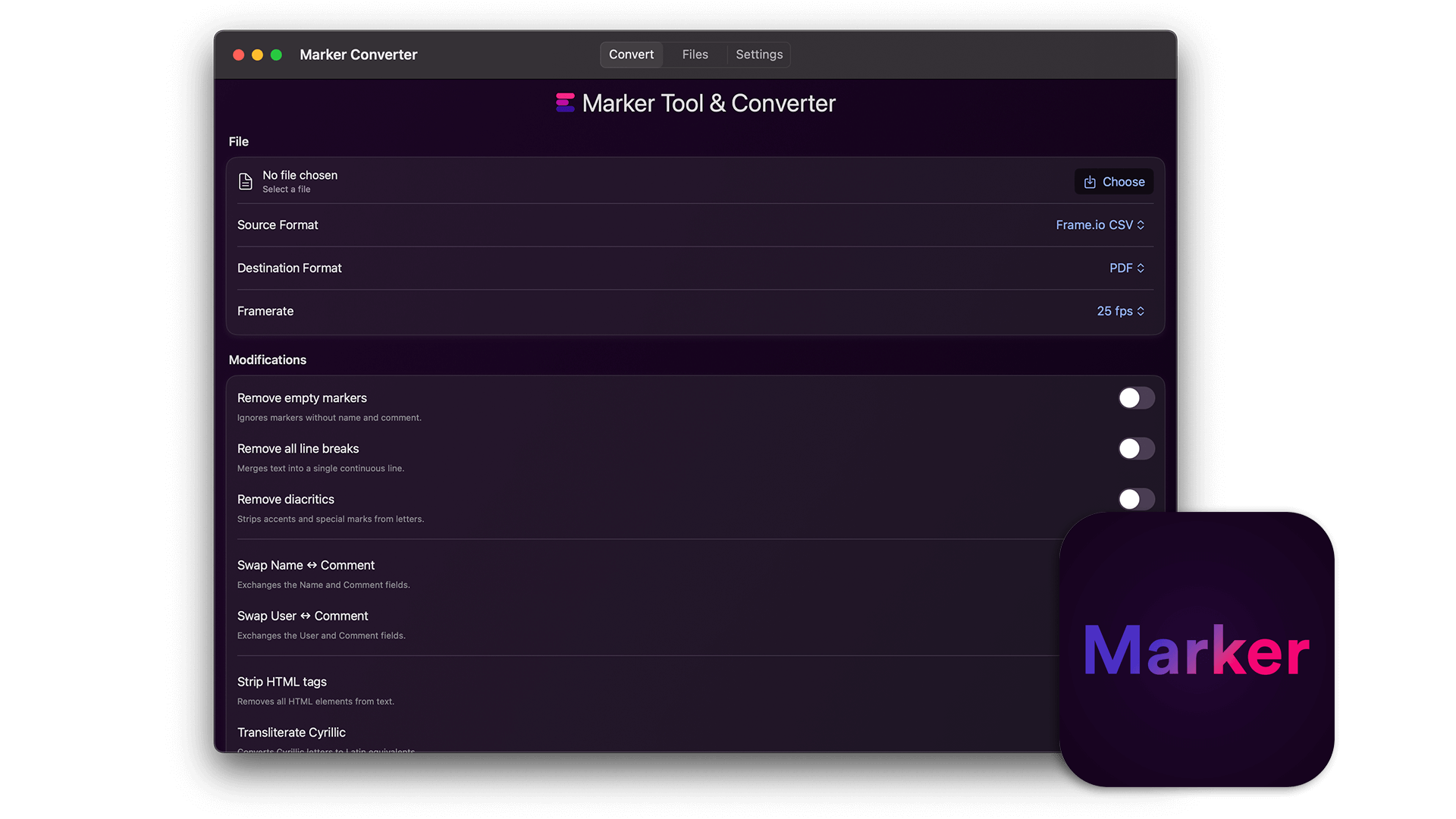
The EditingTools.io Marker Converter helps with converting sequence markers into various file formats. This app is a smaller version of our online marker converter and works completely offline.
We build this app with security in mind, which means no data is shared with any third party and everything is stored and processed locally unless you choose to share the files. Data processing is local, secure and confidential and can also be used for top secret projects.
Got a lot of files, or want to plug the converter into your own pipeline? You can run the app straight from the Terminal. That makes it easy to use in shell scripts, watch folders or automation tools.
Command line support is available from version 1.6 of the app. You don't need to install anything extra.
"/Applications/Marker Converter.app/Contents/MacOS/Marker Converter" helpHere's an example that turns a DaVinci Resolve marker EDL into an PTX for Pro Tools at 25 fps:
"/Applications/Marker Converter.app/Contents/MacOS/Marker Converter" convert \
  --input ~/Downloads/markers.edl \
  --from davinciResolveMarkerEdl \
  --to avidProToolsPtx \
  --fps 25
The new file is saved next to the original with "_converted" added to the name. You can also define a own file path and name for the converted file using the --ouput attribute. All the modifications from the app are available as options too, like filtering by color, removing line breaks or swapping name and comment. Type help to see every option and formats to get a list of all supported formats and frame rates. Everything is converted local on your device.
We put together a small Python script that wraps the command line tool. You call one function, pass in your file and settings, and get the result back with the output path and the number of converted markers. Feel free to copy it into your own tools.
Download Python example & DocumentationWe offer three types of licenses. The single-user license is ideal for freelancers who want to use the software on one or two computers. This license is tied to a single account. For companies, we offer a team license, which is bound to the company. The number of licenses can be chosen upon purchase, with a minimum of three licenses. We also offer an enterprise option. Please contact our sales team for more information. All licenses are perpetual.
Uwaga: wtyczka jest obecnie dostępna tylko w języku angielskim.
You will be redirected to the secure "Paddle" checkout. Paddle.com is the Merchant of Record.
Odwrotne ładowanie: If you are buying for a company and have a VAT ID, you may be able to use the reverse charge procedure in some countries. On the checkout page, click "Add VAT ID" on the left after selecting your country and postcode.
Jeśli masz jakieś pytania lub prośby o funkcje, skontaktuj się z naszym zespołem wsparcia. Chętnie Ci pomożemy!
Po pobraniu rozpakuj plik zip i uruchom plik .app. Następnie postępuj zgodnie z instrukcjami kreatora instalacji.
Tak, jeśli dostępne są aktualizacje, możesz pobrać je za darmo.
Nie, ta aplikacja działa w trybie offline i nie udostępnia żadnych danych Twojego projektu online.
Możesz po prostu usunąć plik .app ze swojego komputera.
Jeśli potrzebujesz funkcji aplikacji, nowej opcji lub niestandardowej wersji, wyślij nam wiadomość. Zapewniamy niestandardowe rozwiązania dla Twojej firmy.
To remove the license and stored cache of this app, delete the following folders:
/Users/{username}/Library/Containers/com.editingtools.marker
or
/Users/{username}/Library/Containers/Marker Converter